Step inside each home, straight from the siteplan
Buyers start on the siteplan, but it’s the home they’re buying.
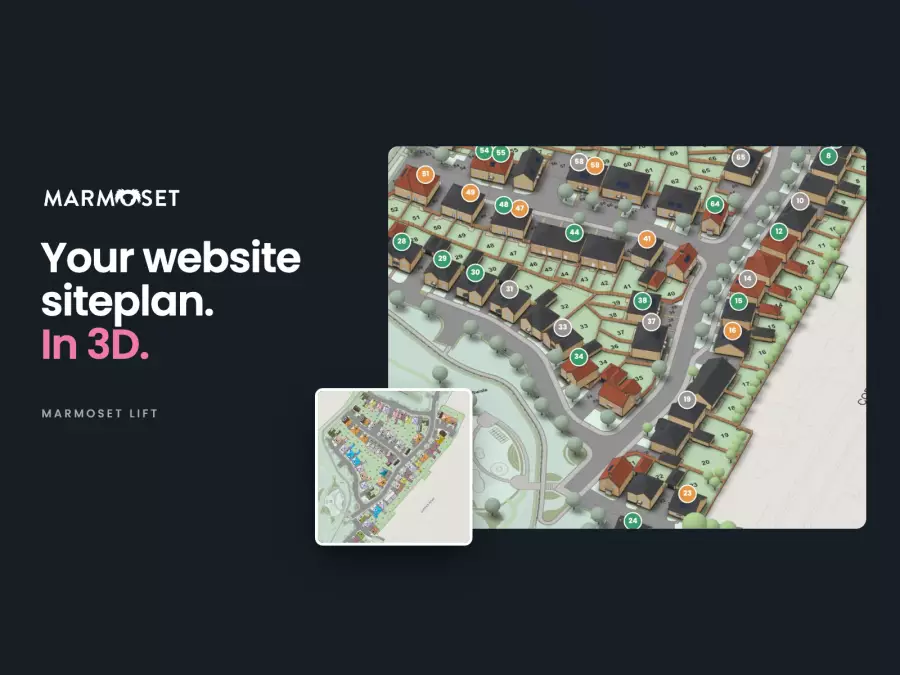
We’ve just posted a short film of Marmoset Lift on LinkedIn, and it’s also at the top of our Lift post. Lift puts the siteplan on your development pages into 3D, and the middle of the film is spent inside one home. That’s Lift’s optional upgrade, and it’s worth a closer look.
Off plan, the hardest questions are often the simplest. How big is the living room, really? Will our table fit in the kitchen? Does the garden get the evening sun? A floor plan PDF answers some of that if you know how to read one. We wanted buyers to be able to find out for themselves, from the same siteplan they used to pick the plot.
Step inside
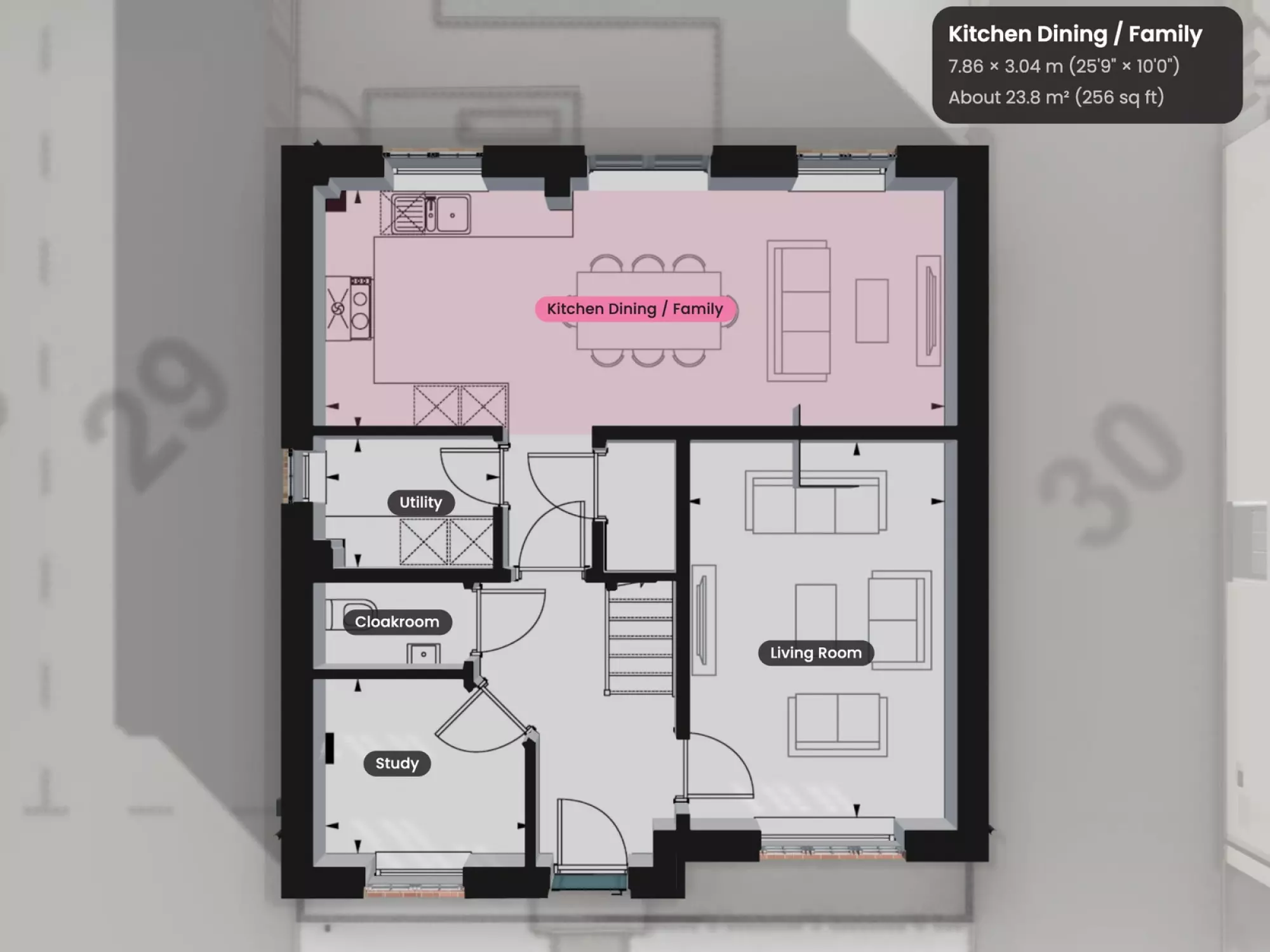
Tap a home, then Explore home. The rest of the site greys back and the view flies in to the house, with its brick, tiles, windows and doors. Buyers turn it to see every side, then step through the floors, which open up like a plan with the walls cut away.Tap a room for its size
Each room is named on the plan. Tap one and it lights up, with its size wall to wall and its floor area in square metres and square feet.Measure anything
Tap the ruler, then two points. The ends snap to the walls, so buyers can check the wall for the sofa or the space for a wardrobe.The light through the day
Slide through a summer’s day and the sun moves round the house as it would on that plot, so buyers can see when the garden gets the sun and how the light falls into the rooms.Built from your drawings
We build each house type from your drawings, ideally as DWG files, so the walls, doors and windows sit where they really are, and the brick, roof tiles and front doors follow each plot. The room sizes come from the same drawings, not from a guess. On a semi or a terrace the whole building shows, and a tap on next door looks round that one instead.
An optional upgrade
Lift on its own gives buyers the site in 3D, availability on every plot, floor plans on the house and the local area round it. Stepping inside each home sits on top as an optional upgrade. Every house type is built in full, so it takes a little longer than Lift itself, and we’ll talk through timings for your development.
Have a go
It’s all on our sample site, Elderlea. Tap any home, then Explore home. The developer, names and prices are made up. There’s more on our Lift page, and if you’d like to see one of your own house types done this way, get in touch.